What Is ERP Software?
ERP stands for Enterprise Resource Planning. In practical terms, ERP software gives a business one connected place to record operations, maintain master data, review transactions, and turn day-to-day activity into reports. Instead of keeping one notebook for customers, another for vendors, a separate register for karigar payments, and a different file for stock, an ERP system links these activities. That connection matters because a sale, purchase, production task, payment, or stock movement rarely exists in isolation.
For a garment business, the value of ERP is not the acronym itself. The value is visibility. An owner should be able to move from a customer invoice to the outstanding balance, from a stock item to its movement history, or from a karigar entry to a payment summary without rebuilding the numbers manually. A cloud ERP makes that information available through a browser or supported mobile device, while structured records make it easier to standardize how a team works.
Why Garment Businesses Need Industry-Focused ERP
Garment businesses have workflows that are easy to underestimate. A tailor shop may be handling measurements, custom orders, advances, delivery dates, and customer balances at the same time. A stitching unit may be sending work to multiple karigars and paying by piece. A factory may also be tracking fabric, vendors, purchase activity, finished goods, returns, and cash flow. Generic bookkeeping alone does not solve the operational side of those workflows.
A garment-focused ERP should therefore speak the language of the business: karigar, piece rate, peshgi, fabric meterage, udhaar, supplier balance, POS billing, and production-related activity. The objective is not to add complexity. It is to remove repeated data entry and reduce the number of places where important information can become inconsistent.
Karigar Ledger and Piece-Rate Management
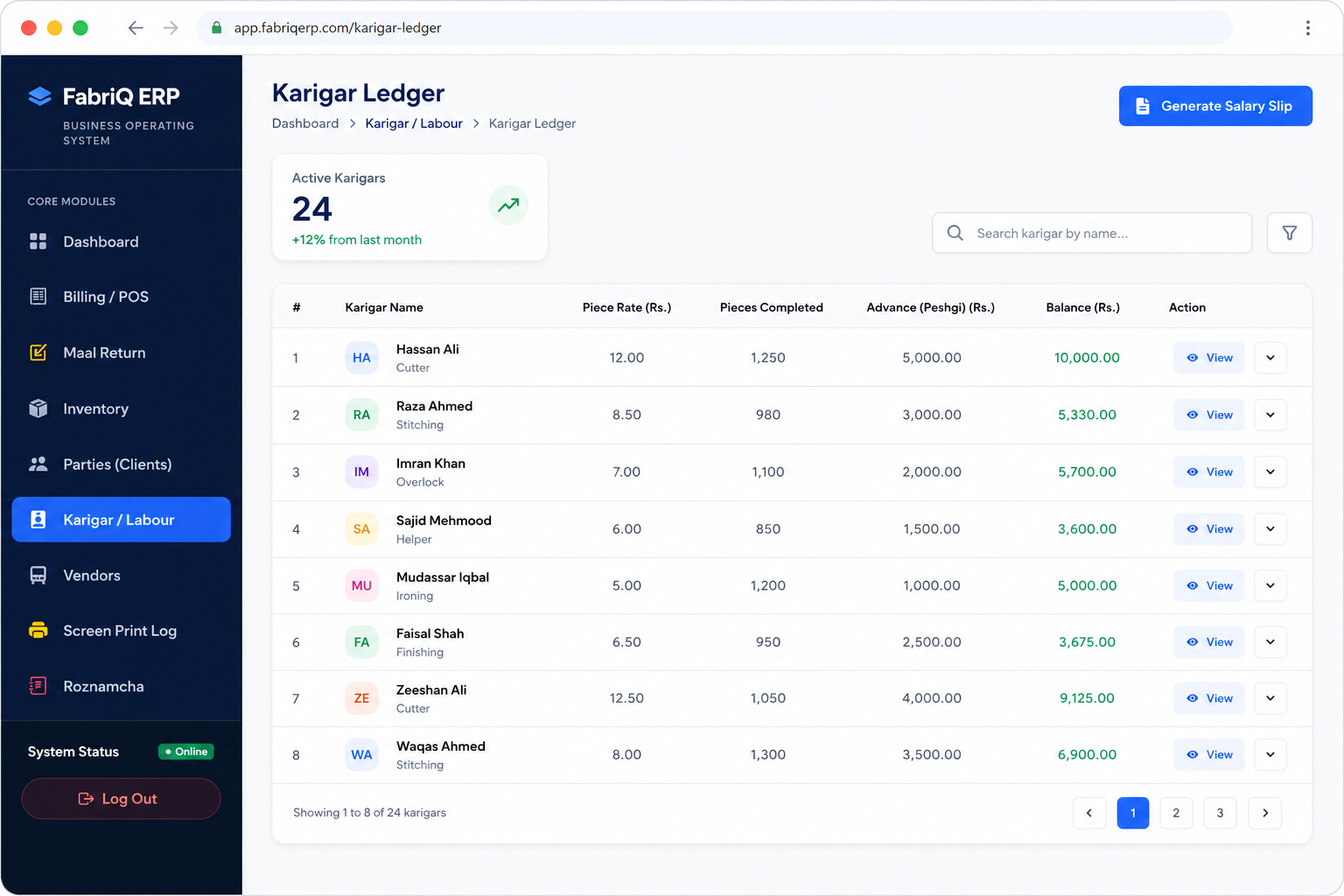
Karigar management is one of the clearest areas where a digital ledger can replace an error-prone manual register. When work is paid by piece, even a small misunderstanding about the quantity completed, agreed rate, advance, or previous balance can create a dispute. A structured karigar ledger lets the business record the work entry, maintain the rate, track advances, and review the running balance from a consistent record.
The bigger advantage is continuity. Instead of calculating a worker's month-end amount from scattered notes, the business can keep transactions together. That makes salary preparation easier and gives an owner a cleaner history of work and payments. For growing garment units, this also creates a repeatable process that a manager or accounts person can follow rather than relying on one person's memory.
Fabric Inventory and Stock Control
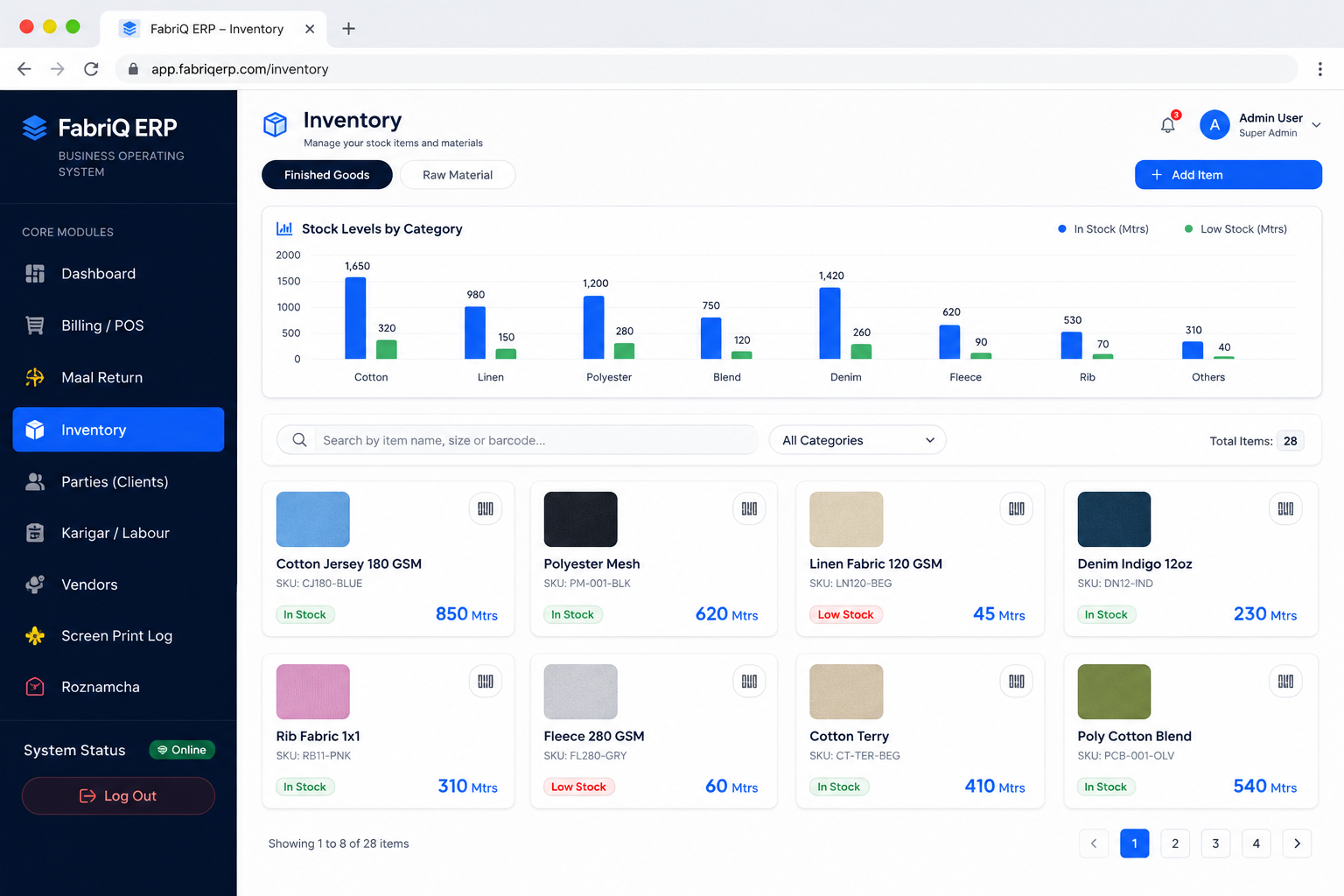
Fabric is both a physical asset and a working input. Stock that looks correct in a register can be difficult to trust when purchases, cutting, wastage, transfers, returns, and sales are recorded separately. A digital inventory module creates a clearer trail. Products can be organized with names, units, rates, quantities, and movement records so that an owner can review what is available rather than estimating from memory.
Barcode support can also make repeated stock identification faster where it fits the business process. The most useful inventory system is not the one with the most screens; it is the one that lets a business answer simple questions quickly: What is in stock? What moved today? What was purchased? Which items need attention? What should be checked before accepting a new order? Better answers support better purchasing and reduce avoidable surprises.
Billing, POS, and Customer Udhaar
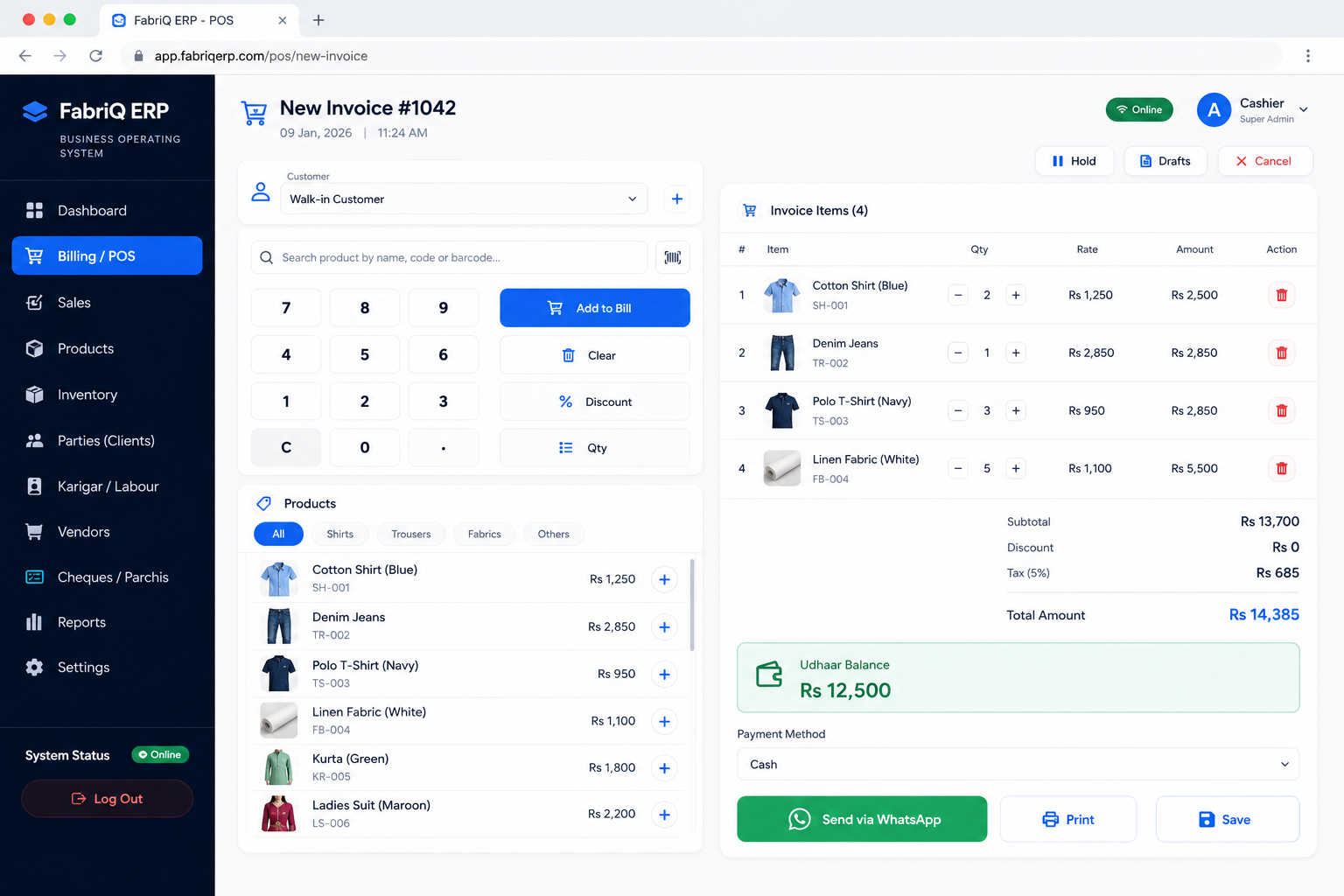
A garment shop may take cash, credit, partial payments, returns, exchanges, and repeat orders. A POS system should make the sale fast while keeping the customer balance understandable. With cloud billing, an invoice can become part of a customer's ledger instead of being an isolated receipt. That connection is valuable for businesses that sell on udhaar because the owner can review what was sold, what was paid, and what remains outstanding.
Digital billing also creates a clearer operational handoff. The person making the sale records it once; the business can then use that transaction for reporting and customer history. Where WhatsApp billing is part of the workflow, sending a digital receipt can be more convenient than maintaining paper copies. The aim is a faster counter, fewer calculation mistakes, and better follow-up on outstanding customer balances.
Vendor and Supplier Accounts
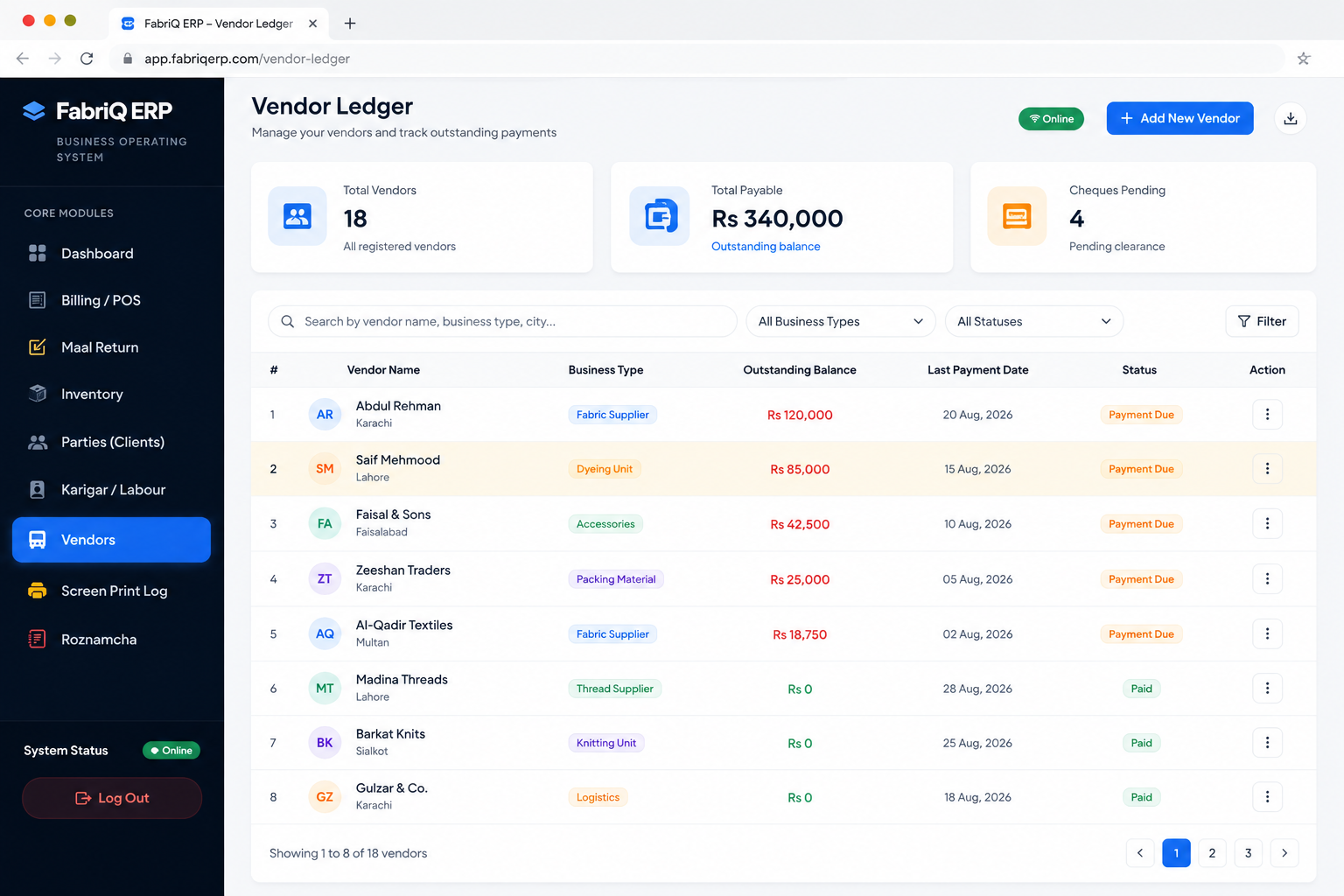
Garment businesses often deal with more than one supplier for fabric, accessories, packaging, and other inputs. Supplier relationships become harder to manage when purchase entries live in one place and payments are written somewhere else. A vendor ledger brings invoices, purchases, payments, and balances into a connected view so that an owner can understand the position with a supplier before making another payment or placing a new order.
For a small business, this is also a memory problem. A digital vendor history keeps the information available even when the person who usually handles accounts is away. For a larger operation, the same structure helps create consistency between purchasing and finance. Clear supplier records can make discussions about outstanding amounts easier because the business can refer back to dated transactions instead of relying on recollection.
Cheque Management and Bank Reconciliation
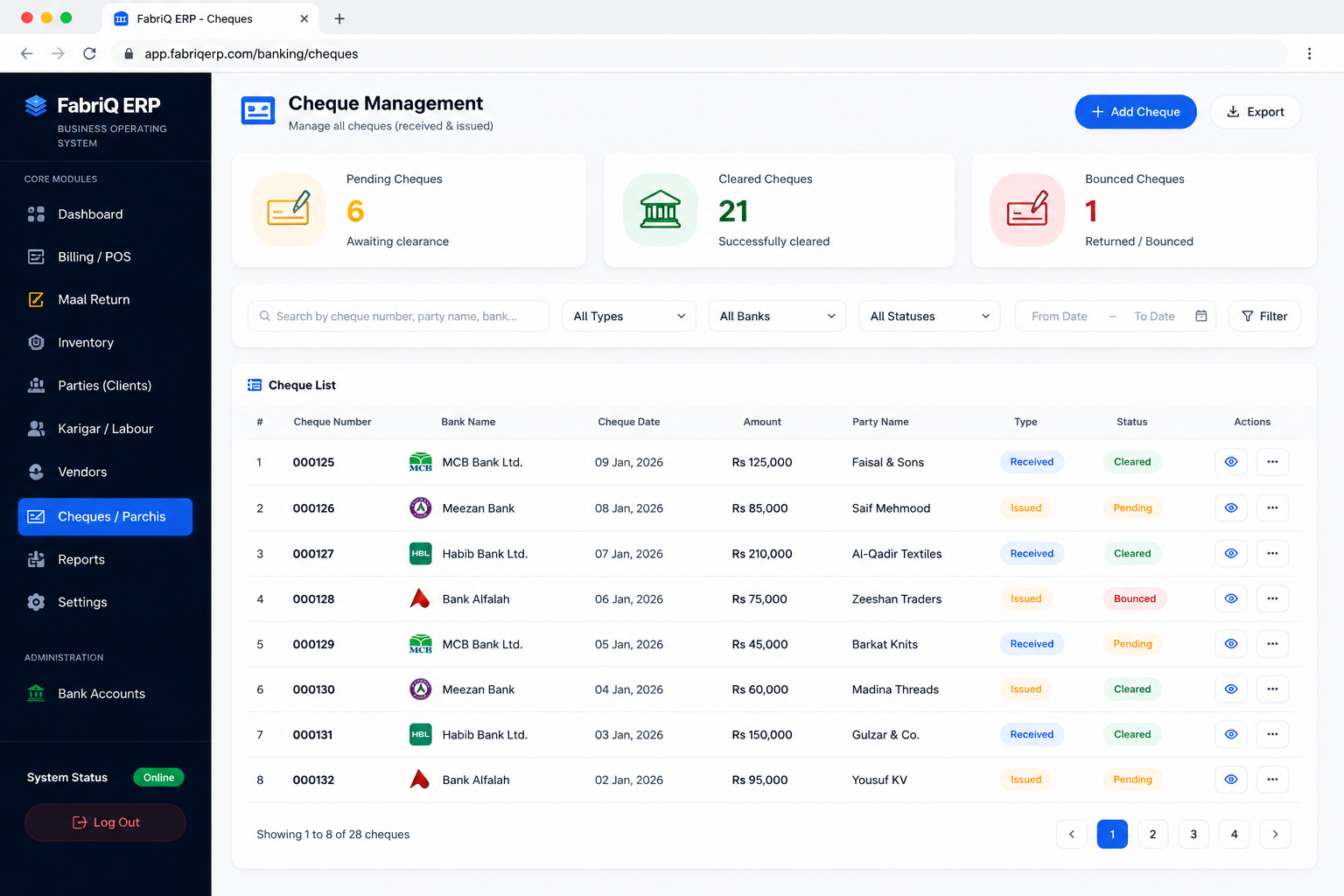
Cheques introduce another layer of control into business accounting because the status of the instrument matters. A cheque can be received, issued, pending, cleared, returned, or otherwise require follow-up. A dedicated cheque workflow gives the business a structured place to record the relevant information and connect the transaction with the wider financial picture.
When cheque records are managed alongside bank and cash information, it becomes easier to spot what is expected versus what has actually cleared. This is especially useful for businesses that still use cheques as part of supplier payments or customer collections. The goal is not simply to store cheque numbers; it is to give the owner a timeline and a clearer relationship between instruments, balances, and account activity.
Accounting, Profit and Loss, and Business Visibility
Business owners need more than a sales total. They need to understand whether the activity that generated that sale was profitable. An ERP accounting layer can bring sales, purchases, payments, expenses, and other records together so the owner can review the financial position with less manual reconciliation. Profit and loss reporting becomes more meaningful when the underlying records are maintained consistently.
For garment businesses, the practical question is often, “Where did the money go?” It may have gone into fabric, karigar payments, supplier balances, operating expenses, returns, or customer credit that has not yet been collected. Connected records help separate these movements. The result is not just a report; it is a better basis for decisions about pricing, purchasing, credit policies, and production planning.
Why Cloud ERP Matters for Pakistan-Based Businesses
Cloud software changes where the business system lives. Rather than depending on a single computer, a cloud ERP can be accessed from supported devices through the internet. That matters for owners who move between a shop, factory, warehouse, and home. It also supports a more flexible working model when the business has more than one person entering or reviewing information.
A cloud approach should still feel practical. The interface needs to load cleanly on normal devices, forms need to be understandable, and common tasks should not require a technical background. FabriQ is positioned around these everyday use cases: a garment owner should be able to open the ERP mobile app or browser, check a balance, enter a transaction, review a report, or continue a workflow without needing to understand server administration.
Offline-Capable Workflows and Sync
Connectivity can be inconsistent in real working environments. A business may have weak internet inside a production area, experience a temporary outage, or need to work while moving between locations. An offline-capable approach aims to keep essential workflows usable and synchronize them when a connection becomes available again.
For the business owner, the important outcome is continuity. A temporary internet problem should not automatically become a reason to stop recording an invoice, entering a ledger transaction, or capturing a work update. Offline support also changes how a team thinks about digital records: the software becomes part of the operational routine rather than something that only works when conditions are perfect.
ERP Mobile App for Owners, Managers, and Teams
Mobile access is increasingly practical for small and medium-sized businesses because owners are not always seated in front of a desktop computer. A mobile-friendly ERP can put important information closer to the point where decisions are made. An owner might review an outstanding customer amount while away from the shop, check a supplier balance during a purchase discussion, or enter a transaction as soon as it happens.
Good mobile design does not mean shrinking the desktop interface. It means prioritizing common actions, readable numbers, large touch targets, and simple navigation. A responsive ERP experience should work across phone, tablet, and desktop layouts so a business can choose the device that fits the situation while maintaining the same underlying records.
How to Choose the Best ERP Software in Pakistan
The “best ERP software” is not necessarily the one with the longest feature list. For a small garment business, usability and fit may be more valuable than enterprise-level complexity. Start by listing the processes that cause the most repeated work or disputes. If karigar calculations are difficult, prioritize the karigar ledger. If stock is unclear, prioritize inventory. If customer credit is hard to follow, prioritize billing and udhaar management.
Then evaluate how the software behaves in real use. Can the team understand it without constant training? Does it support the local business context, including PKR billing and familiar terminology? Can the owner move from a transaction to a useful report? Are records organized enough to support accountability? Can the system be accessed on devices the business already uses? These questions are more useful than choosing software from a generic feature checklist.
Moving From Registers and Spreadsheets to ERP
Digital transformation does not have to happen all at once. A practical rollout usually starts with the records that matter most every day. That may mean adding customers and vendors first, then entering opening stock, setting up karigars, and moving billing onto the digital system. Once the team is comfortable, reporting and more advanced workflows can be expanded.
The important part is consistency. Decide how names, units, rates, payment methods, and account categories should be entered, and use those conventions every time. Clean master data makes later reporting much easier. It is also wise to keep a transition checklist so the business knows which opening balances and stock quantities have been verified before relying fully on the new system.
Data Accuracy, Audit History, and Accountability
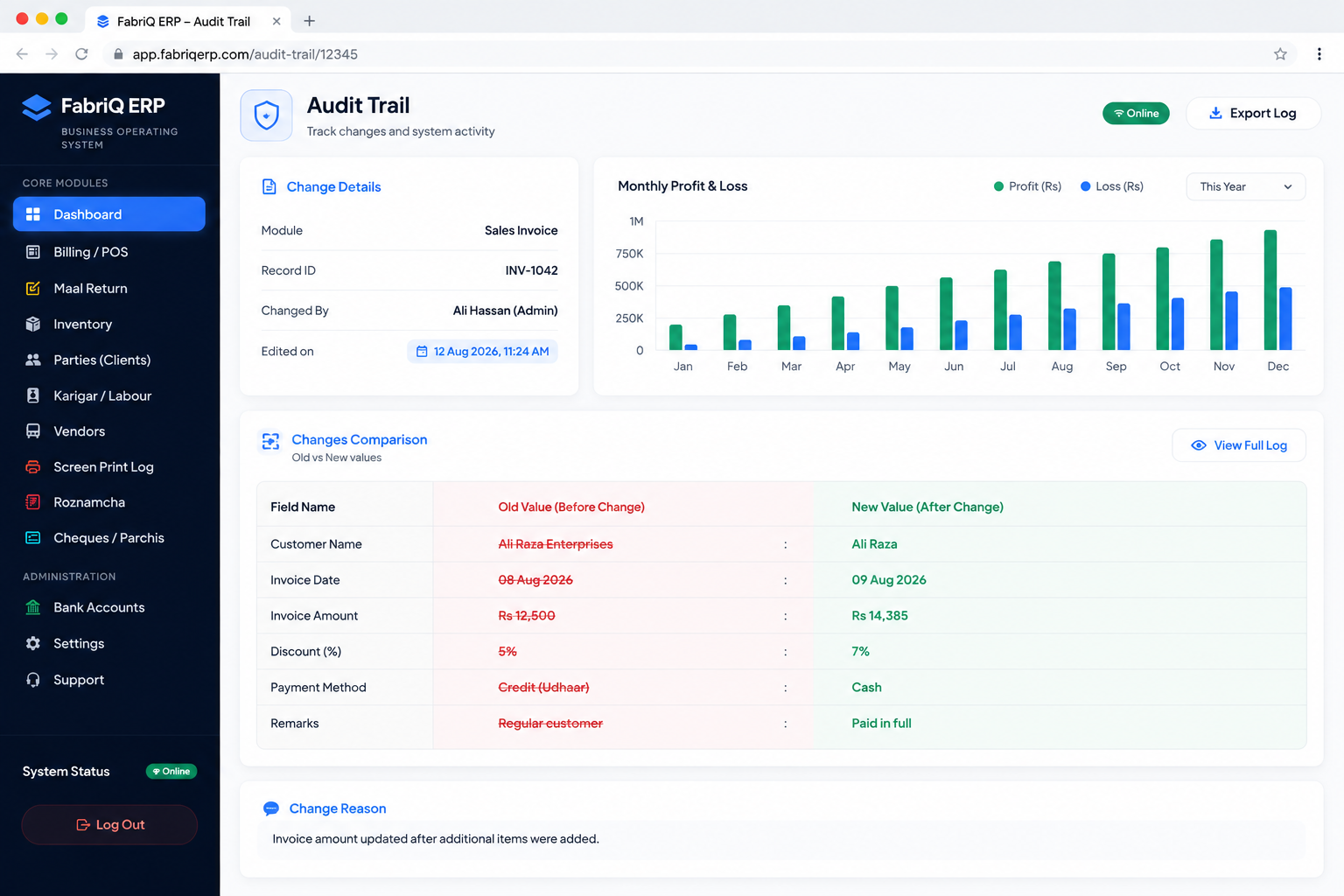
Digital records create value when people can trust them. That requires more than entering transactions; it requires a clear history of what changed. An audit trail can preserve edit and deletion activity so an owner or manager can review what happened when a number no longer matches expectations. This is useful in any business where multiple people handle billing, stock, payments, or ledgers.
Auditability also improves everyday discipline. When staff know that important actions are recorded, there is a stronger incentive to follow the standard workflow rather than making untracked side notes. For owners, the result is a business system that supports accountability without requiring every decision to pass through one person.
ERP for Tailor Shops, Garment Factories, Retailers, and Boutiques
Different garment businesses have different priorities, but the underlying need is similar: reliable information at the right moment. A tailor shop needs customer orders, measurements, karigar tasks, delivery follow-up, and billing. A garment factory needs stronger control over production-related labor, materials, vendors, and reporting. A kapra retailer may prioritize fast POS transactions, inventory movement, customer balances, and purchasing. A boutique may combine custom orders with retail sales and supplier management.
Because these businesses vary, the ERP should be modular enough to start with the workflows that matter most and expand as the operation grows. That approach keeps the first step manageable while preserving a path toward a more connected business system.
Why a Connected ERP Can Improve Daily Decision-Making
Every business day contains small decisions: whether to reorder a fabric, whether to extend credit, whether a supplier has been paid, whether a karigar balance is correct, or whether a product is actually making a healthy margin. Those decisions become easier when the underlying information is current and connected.
The most useful ERP benefit is therefore not automation for its own sake. It is decision speed with context. Instead of asking several people for separate numbers, an owner can review a ledger, inventory balance, sales record, or report directly. That gives the business a stronger operational rhythm and makes it easier to spot problems while they are still small.
FabriQ ERP as a Business Operating System
FabriQ ERP is designed around the idea that a garment business should not need one application for billing, another for stock, a notebook for karigar payments, and scattered files for vendor balances. The business operating system approach brings those workflows together so they can share the same core records.
For a small business, that can mean a cleaner daily routine. For a growing operation, it can mean a repeatable process that does not break as more customers, suppliers, products, and workers are added. The objective is a system that grows with the business while staying understandable to the people who use it every day.
Practical ERP Checklist Before You Start
Before moving into a new ERP, define the starting point. List your customers, vendors, products, opening stock, karigars, current balances, payment methods, and the reports you review most often. Decide who will enter data and who will review it. This makes implementation much smoother because the team can focus on using the system instead of constantly deciding how information should be structured.
Then choose one or two workflows to test end to end. For example, record a purchase, update inventory, create a sale, record the customer's payment, and review the resulting balance. Or enter a karigar work transaction, apply the piece rate, record an advance, and check the running amount. Testing complete workflows is more revealing than clicking through isolated features.